


Let’s draw a nice awesome vector red curtain in this Illustrator tutorial. This lesson assumes that you already have a basic understanding on how the gradient mesh works. We will move on to create a realistic curtain using the gradient mesh. You can use this curtain effect for your movie or theaters related theme design.
1. Creating the skeleton
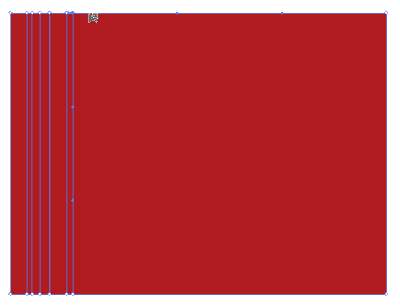
First, we create Rectangle and fill it with red. Select the Mesh Tool and start clicking along the edge of the rectangle. Creating 3 segments close together will give good results as we can simply change the middle segment to black for shadows.

2. Filling the shadows
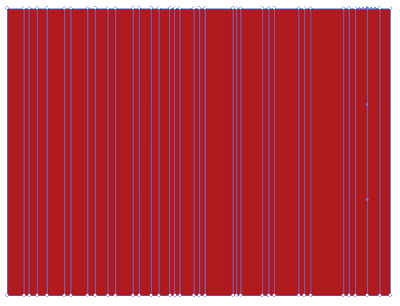
With the Direct Selection Tool, we select both the top and bottom points in the segments we want it to make it shadow. After that, fill the points with black. Do this to all the segments we want it to be in shadow.


3. Shaping the curtain
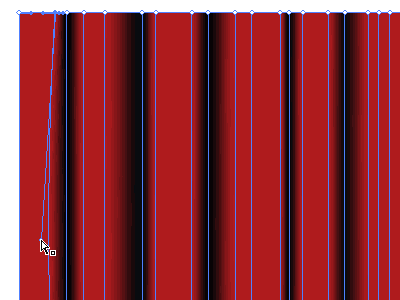
Now we can start shaping the curtain to give it some curves. Select the Direct Selection Tool and select the point we want to modify and move the anchor points to change it to curve lines. Other things you can do with the points is move them closer or further to other points by clicking the Right/Left Arrow Keys. A realistic fold normally starts narrow at the top and end wide at the bottom. Hence, we can use the arrow keys to shift the points closer or further away form each other.
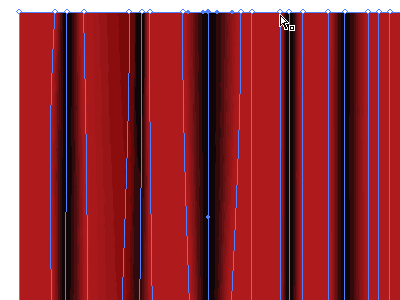
4. Final touhup
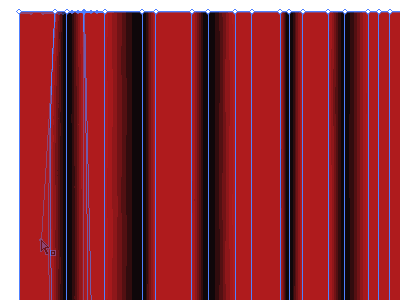
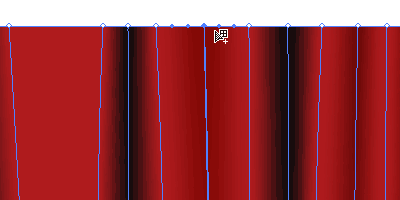
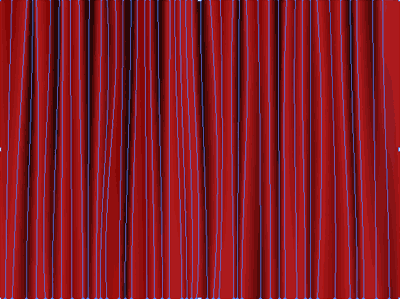
To create more folds to the curtain, we can add new points with the Gradient Mesh Tool and fill it will a slightly dark tint. Do this until you are satisfied with your curtain. Below is the final skeleton of my curtain. Hope you guys have a great time creating your own curtain!

Excelent
good
It is helpful
Its help me to fulfill my creative idea.
Thank you
Excellent !
well tutorial was this it helped me alot in using of gradient mesh
Excellent, So helpful….
Best, I can’t believe this
this is a best tutorial
thanks
Thx for sharing
Made the curtains this morning and used it for my mother’s Mother’s Day DVD! Big Thx
Great Jaimi! Can u send me what you have done? I would like to have a look.
Excellent, Exactly what I’ve been looking for
i was completely shocked when i saw this tutorials. It’s awesome and really cool stuff….
Thanks. You can share it with your friends, stumble it or digg my site. That will be my greatest appreciation~
Great tutorial. Thanks for sharing.
its very nice
thanks a lot! This is a very good tutorial!!
Good Easy Method
LUV IT!!!
surprisingly easy method.
This is an excellent tutorial. It was so surprisingly easy.
I also used the warp tool along the lower edge of my curtain to give it a flowing look there instead of a straight edge.
amazing:) thanks for sharing
this is great! tanks for posting it
Thanks for sharing ^_^
It is realy great designs on this site…… this is very helpfull site for web designers…iam a web designer so i am very happy now !
very use full thanks alot…………….
To complete zabimaru’s comment, I’d add that you can pull the clearer “folds” of the curtain out of the original rectangle and push the the darker “folds” inside to make quite a good 3D effect
very good thanks
Great Tut, ive only just started using illustrator about a week ago, and this tut has helped me a lot in doing part of a uni assignment, thanks!!!
Great tutorial! I decided to go with a variety of different shades instead of just black — switch the color to HSB and adjust the brightness. This allows sections to “pop out” more and others to be partially in shadow. The other change I made was to add in points where only the top or bottom was darkened, so that they would appear as a fold which started in view.
Thanks!
amazing!!,I don’t think i can do it but you help me a lot.thanks.
its such a simple but effective trick,that i absolutely loved it.
its nice very easy to use thanks u
Please, can anybody send this made in illustrator, I am beginner and it is difficult to me. Send me the file (.ai) on [email protected] if anybody has done it. Thanks.
fantabuloso, impresionante!!!
nice tuts!
THX for sharing..
Very nice but what about the bottom of the curtain ?
Great tutorial. It helps me a lot 🙂
perde modelleri curtain
good tut man …
absolutely perfect
U R Awesome. Thanks so much! -g
has been a useful article
I have a problem here, The color that appear is not really black in the shadows, It’s like a dark red. The color doesn’t appear like your example.
Ahhh!.. save my day!!…great tutorial, simple and useful.
Avada Kedavra!!!!!! and…….scene
its such a simple but effective trick,that i absolutely loved it.
VERY USEFUL
I am just writing to let you be aware of what a nice discovery my cousin’s daughter found studying your web page. She mastered lots of pieces, including how it is like to possess an excellent coaching mood to let a number of people smoothly know several multifaceted subject areas. You undoubtedly did more than visitors’ expectations. I appreciate you for producing those necessary, dependable, edifying not to mention fun guidance on the topic to Evelyn.
Have a nice expression, I have an easy way …
Thank you very useful information from
done w/ this. cool 🙂
Hi there it’s me, I am also visiting this site daily, this site is genuinely fastidious and the users are actually sharing nice thoughts.
Thank you
Thank You
I will recommend your site for Themes
I know this if off topic but I’m looking into starting my own weblog and was wondering what all is required to get set up? I’m assuming having a blog like yours would cost a pretty penny? I’m not very web smart so I’m not 100% sure. Any suggestions or advice would be greatly appreciated. Cheers
Thank you very much for this helpful tutorial. i’m trying to make it now…:)
Thank you very much, i like your tutorial 😡
Thank you very much
thank you!!! this is was what i need!
Wowww with your tutorial i could create a wonderful work now! Mega thanks!!!
Hello, i believe that i saw you visited my weblog thus i got
here to return the desire?.I am attempting to in finding things to improve my web site!
I assume its ok to use some of your concepts!!
I visit each day a few blogs and information sites to read articles or reviews,
however this weblog provides quality based posts.