


Drawing a waving flag in illustrator can be a tricky and challenging process for a new beginner. In this adobe illustrator tutorial, we will learn how to draw a vector waving flag effect of the United States of America. You will first need to create the 2D flag using Transform tools and we will move on to create the wave effect using 3D Distort Tools.
2D Vector Flag Creation
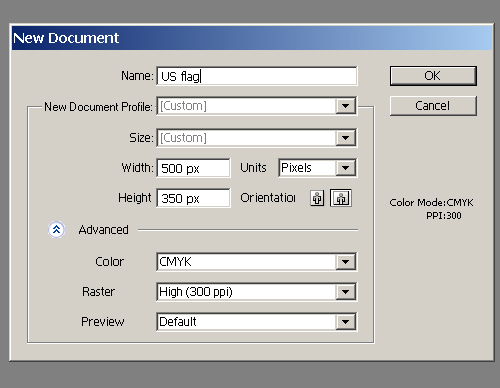
1. Let’s open a new document in Illustrator (File > New) and select the size 500 x 350 px. (but you can choose any size you want). If you want to use it for printing you should choose CMYK color mode.
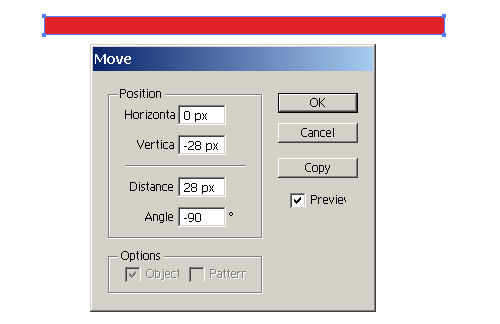
2. Select the Rectangle Tool (M). Create a rectangle 600 x 28 px., red fill and without stroke.

3. Select a rectangle. Object > Transform > Move and press Copy. (dotnetcoretutorials.com)
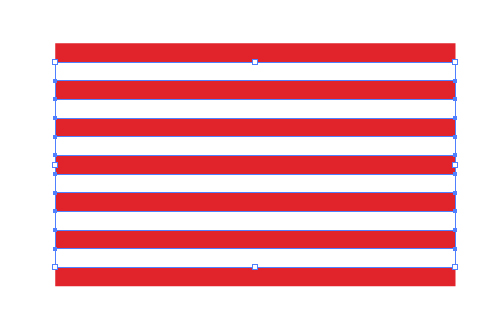
4. Duplicate the rectangle 12 times. Use Command + D.

5. Select all even rectangles (press Command) and change fill for the white. Group all rectangles (Command + G).
6. Select the Rectangle Tool (M). Create a rectangle 250 x 196 px, draw a dark blue fill and without stroke. Select all of objects and align them horizontal left and vertical top. Group all objects (Command + G).

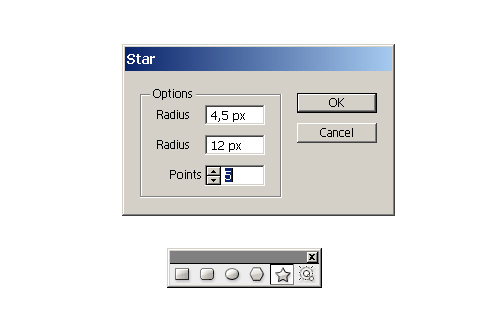
7. Select the Star Tool (M). Create a star, fill it with white and without stroke.
8. Select a star. Object > Transform > Move and press Copy.
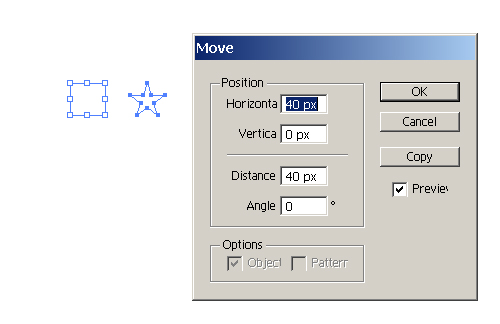
9. Duplicate the star 5 times. Use Command + D. Using this techniques to create 50 stars. Group all stars (Command + G) and place over a dark blue rectangle. Select all and group.

Waving Flag Effect
10. Select the Pen Tool (P). Create a path without fill and black stroke.

11. Select path, Effect > 3D > Extrude & Bevel.

12. Select a flag and drag it in the symbols palette. Select the 3D object, open Appearance palette and double click on 3D Extrude & Bevel. Open Map Art in a dialogue window and select New Symbol 1. Click on Scale to Fit.

Select surface: “No shading” in a dialogue window.

Coloring the Vector Flag
13. Select the 3D object, go to Object > Expand Appearance. Select Direct Selection Tool (A) and make a gradient for the red strips.
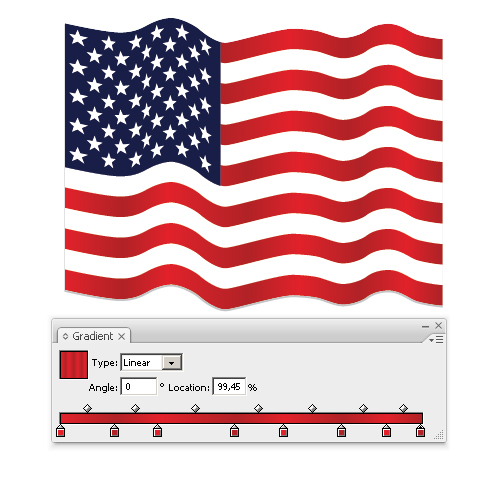
14. Use the same method to get a white strips and a dark blue rectangle.

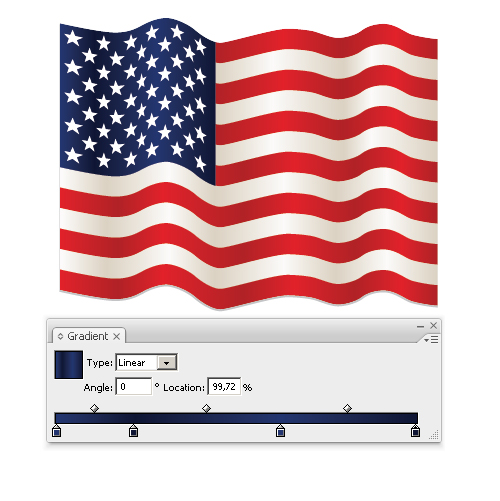
15. Scale and rotate the vector flag.

16. Select the Rectangle Tool (M). Create a rectangle 500 x 350 px. Place a rectangle over a flag. Select both object and click crop on the pathfinder palette.
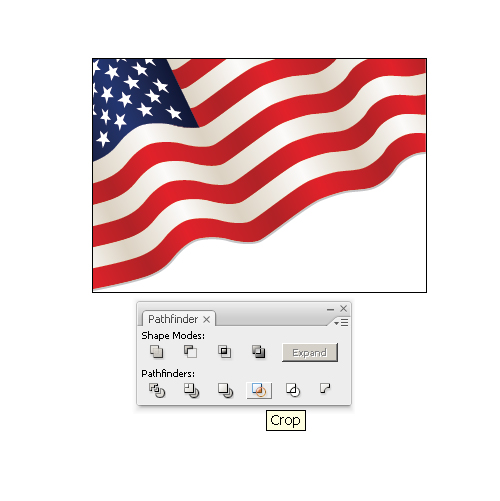
17. Create a new background layer below the flag. Select the Rectangle Tool (M). Create a rectangle 500 x 350 px without stroke and fill it with radial gradient.

In this tutorial, we have explored on drawing a waving flag. With this technique, it is possible to recreate flags of the different countries.
To download the source file for this tutorial, you will need to login as a member.
Sign up today to access all exclusive members content!

cool….thanks so much!!
hi, i’m stuck on 10th step. can you help me?
Just use the Pen Tool or Pencil Tool to draw a line. Pen Tool might be hard for beginner, you can check out how to use Pen Tool in my crash course.
I suggest you video about Waving Flag of the USA so better the video. because not bright it.. Please help me video..
nice and cool,, this tips usefull for me,,, thanks very much
stuck at step 10
please make it clear at step 10 up to end, thanks
stuck at step 12 please make it clear
Step 12 does not result in a wavy flag
Awesome. Used it to create a pirate flag with pretty stellar results. Because I wasn’t using the stripes, I just used the pen tool to create my gradient shading. It’s a bit sloppy and I’ve got some jagged edges on the bottom. Not too worried for my current usage. Results are up here: http://flic.kr/p/9oSuqu
In step 12 you need to add the flag symbol and scale to fit to each surface in the top right hand corner of the map art window. Click through the arrows and do each one.
Well done I coulde create like your one, anyhow I highly appreciate your effort here, thanks once again.
in Step 12 you should change the surface in map art dialog box, click the arrow button before get the symbol till correct surface come & you will see some highlighted red lines all over the flag (if preview button on) , when reach the correct surface, then you can get the symbol, afterthat follow the instruction regard this tutorial…….
nice and cool,, this tips usefull for me,,, thanks very much
Also found it confusing at step 10.
Using CS4 but cannot seem to follow the walkthrough.
STEP 12:
how do you select a 3d object?
Illustrator can only fill one shap with the symbol, so you have 5 different symbols on each part of the flag 🙁
Hey this was great and very easy. THANKS
In step 12, the entire flag get’s placed over each surface causing the flag pattern to repeat its stars and stripes multiple times. How do you get one flag to appear over the entire surface?
I’m stuk in step 12 and can’t go further… 🙁
It’d be great if you could explain.
This tut is extremely confusing. I know my way around all Adobe programs, and after step 12 the entire tut falls apart. I would highly sugest updating this, and making it much more newbie friendly…
Just sayin…
Your flag needs another white and red stripe. The US flag has 13 bars, 7 red, 6 white.