
About Adobe Illustrator
Illustrator is a vector drawing program. It is often used to draw illustrations, cartoons, diagrams, charts and logos. Unlike bitmap images that stores information in a grid of dots, Illustrator uses mathematical equations to draw out the shapes. This makes vector graphics scalable without the loss of resolution.
Advantages of Vector Graphics
- Scalable without resolution loss
- Lines are crisp and sharp at any sizes
- Print at high resolution
- Smaller file size
- Good for drawing illustrations
Disadvantages of vector graphics
- Drawings tend to look flat and cartoon
- Hard to produce photo realistic drawings
Common Uses for Illustrator
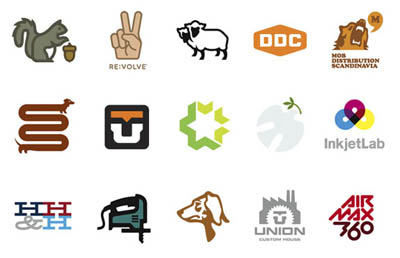
1) Designing Logos

By: Draplin Design
2) Drawing Maps

3) Drawing Illustrations

By: Chih Hang
4) Infographics

5) Photorealistic Drawings

By: Kevin Hulsey
6) Packaging Design

By: sanna annukka
These are just a few examples of what Illustrator can do. If you have experience with Photoshop, you can bring your illustrations into Photoshop and enhance it. That’s how professionals do it. During the next few days, I will be covering the basics of Illustrator so that you can produce your first vector art!
Next Lesson: Getting Started in Illustrator »
Back to Illustrator Training Course
Can help but say “Drawings tend to look flat and cartoon” “Hard to produce photo realistic drawings” are seriously challenged by that realistic camera –
is there a link for Kevin Hulsey?
cheers
I must agree with Alex. With the right use of Gradients and maybe some shaddows and masks, you can make nice 3D looking graphics. There are even 3D options available in illustrator.
Experts can produce super realistic drawings of products using gradients and gradient mesh in illustrator. However, if you were to produce a realistic drawing of mountains and rivers that I would say it would be a challenge. Illustrator is really not good at rendering textures other than smooth surfaces which can be achieved by gradients. And Kevin Hulsey is really one pro in technical illustration. Check out his portfolio. I have included the link.
eXcelent resourse for beginners congrats!!!
Looking for a quick course, preferably during the evening time that will teach me to draw using illustrator quickly.Pleases give info., price if any and other details.
Hi Carl, I will recommend you Lynda’s video tutorial. Read my recommended list of tutorials here: https://vectordiary.com/reviews/the-best-illustrator-books-videos-for-learning/
very nice job
finally, i will be able to learn how to use the illustrator! bwahahaha!!! 🙂
Logos, Illustrations and Product Designs are all areas I want to investigate further with Illustrator.
It is really worth.
Its good, but cant say much about b’coz its a first day.
I´m a brazilian designer that uses Corel Draw and want to migrate do Adobe Suite. I think the best tool to work is the tool that you reaaly know how to use, so I´m trying to learn as much I can about Illustrator.
Can I use illustrator to create webpages? I am a long time user of Corel Draw and have created looks for websites using Photoshop…I am hoping to migrate completely to Illustrator and not have to boot into vista on my mac.
Thanks! The first day of an Introduction is nice & helpfull to beginner how,where and when use this software.I admire which you had done for us.This software new for me so Hope I’ll learn Illustrator well through your 30 days.
its good imust with agree….
I have purchased Adobe Flash CS3 Professional- do i need to have illustrator as well to have this function? Can i not create a project in its entirety in the Flash product i have purchased? Do all pictures need to be imported through illustrator , can I make .ai files in adobe flash?
Thanks for your timely response…. J
Hi J, You can’t make ai files in illustrator. However you can draw some basic vector graphics in Flash.
what is illustrator is a vector drawimg program.
VERY FINE WEBSITE IT IS VERY USEFUL TO INTERMEDIATE AND ABOVE INTERMEDIATE LEVEL KEEP INTRODUCING MORE ILLUSTRATIONS
hi, i want to know if you can also show some website or book that is best for photoshop beginner
Thanks a lot for this tutorials , bro 😀 !
Keep up the good work , i will subscribe to your RSS 😉 !
Greetings from Belgium !
BaGsHiK
i would like to under go the classes.
it is very nice softwear
Is possible this tuttorial in spanish ?
very very nice…. i got it… !!! thanks! 🙂
illustrators fun too
i dont like this program but u will get use to!!!!!!!!
pls tell me how i can can my illus’s work in to jpeg…great work….carry on…..
Hi josh, go File>Export and select JPG.
New here – New to illustrator too! just wanted to say thanks for this =]
Salut je voudrais savoir si je ne pourais pas avoir les livres disponible en francais.
oh em gee this is soooo coool <33333 i love you devon
Can’t wait to crashed on Illustrator for m graphic design course. But, I really interested to make product package, and map. I will stay long hours for that.
kool
I started this tutorial 3 days back…I love to learn Illustrator very much!!!
I have just started to learn Illustrator, I love the program, but there are a couple of bugs still in the software, it isn’t quit polished as Photoshop, things like, Anchor points appearing in the design, that I did not creat, Anchor points shooting of screen, leaving colour trails behind, and the amount of memory needed for large files is staggering, I have 4gig, and it isn’t enough for Illustrator.
Don’t get me wrong, I love this software, but because of the flaws, I usualy end up spending more time in an Illustrator design, than I do in Photoshop, there are other bugs, but the ones I have mentioned above, are the most annoying ones.
All the best to you all here.
Keith.
kooool site!
I can’t wait to dig into this tutorial. Thanks for providing it. I am also a contributor to iStock. I’ll be checking out your illustrations.
I learn this tutorial & this lesson of the illustrator
tutorial & it is a very nice ! Thank You Very Much….
its really nice
It’s nice tuts for fresher.
i want to know more about luustrator… n i want to see more sample designs.. pl show me as soon as possible.
I learn this tutorial & this lesson of the illustrator
tutorial & it is a very nice ! Thank You Very Much….
Hi ….
I Can’t wait to crashed on Illustrator for m graphic design course. But, I really interested to make product package, and map. I will stay long hours for that.
CONTACT..
9910146071
i am Arif.i m professional embroidery digitizer i like so much ann i want talk 2 ann please send me contact detail of ann.my contact detail below
[email protected]
0092-345-4058504
thanks
thanx for the info…
Thank you, i love it ^_^
Thank you, i love it. ^_^
it’s verryy nice
Very useful . Thanks Sheik K
I want to learn Illustrator , so please send me all idea’s technique to my mail id.
I wiil be happy if i get better response from yours
Karim Imran
Very much informative TUTORIALS! like id and learned alot from here
VERY NICE, THANKS MUCH
awesome. thanks.
I love ai….thank’s bro
DAY 1: So far so good….I am totally new to this product but have always been fascinated by some of the things that can be created. Case in point – the camera in Photorealistic Drawings! This simply blows me away. I always felt this sort of thing was way beyond me but I guess I am about to find out once and for all. See you all after Day 2.
This is great and very helpful! No need to shell out bucks for AI classes. =)
awesome..started off just using photoshop and online tutorials have tought me so much, thanks for everyones help.
I really love Adobe Illustrator! It is one of the best tools I know! I use it regularly for my graphics.
This is a very nice blog. Very helpful for my work! Thank you very much!
Hi I’am graphics passion too. Your blog very useful. Pleased to meet you
THANK YOU, THANK YOU, THANK YOU, THANK YOU!!!!
thank you! you are helping me so alot.
:p it is…………….okayyy i guess.
yeahhhhh buddy!
thanks for the helpful information, I’m going to get all courses
with all respect GentleMan
That let me know Illustrator don’t only draw cartoon 🙂 It’s very useful software
Thank 🙂
Looking forward to 30 days time…
nice and useful
that weird and terrible
your cool.
It is very use full to me, thank’s
Excellent Post.. I enjoy some of content in the post.. please keep it up..
i want same like this from you… thanks
Lesson 1 looks good. Especially like that you give list of common project types. I noticed web design isn’t on there, though I found at least 1 person w/ a blog that uses Illustrator for that. One observation: lesson 1 is so short (only took me 5 min) that you could combine it w/ lesson 2.
this is hard core BS
I like To Illustrator
woooooow.how can i go to the day 2
lames
i love illustrator so much that i will always go for it anytime anyday
very nice introduction, thanks for share 🙂
thanks…a lot of . finally i satisfy with this tutorial
I used to buy stock photos to make email stationery for my site which very expensive. I love to draw, I know basic Photoshop but never touch AI. Your tutorial helps me a lot. Thanks for making this for free
Thank u lot of thank u your tutorials is very usefully.
It’s so useful
Very useful tutorial
ANIL
nice and very cool tutorial one of my freinds made really cool diamond
lol that actually quite works 🙂
Hi Wendy, try pressing Ctrl + F5 to clear out the cache.
Hi there! I just would like to offer you a huge thumbs up for your
excellent info you have here on this post. I am coming back to your site for more soon.
Very nice, i hope i could do something like this after 30 days too…