
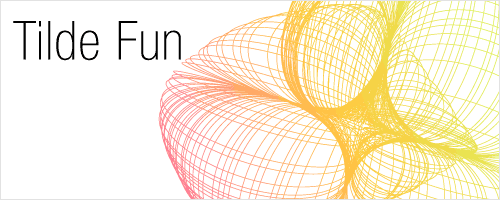

Many beginners may not have heard of the “tilde” key trick. It’s the ~ key just beside the number 1 keypad. By holding the tilde key, you can drag to create new shapes following your mouse direction. You can only use it with other shape tools in your tool palette. Combine it with Alt/Option, Shift/Command and spacebar to create new effects. Have fun with the tilde key, below are some experiments I have done with it.

Back to 101 Illustrator Tips & Tricks »
Excellent, Exactly what I’ve been looking for, thanks
never ever heard of that technique.. really nice effect and so simple! I’ve been expirimenting with this technique for half an hour now and there are so many possibilities 😀 thanks for sharing!
hi dear friends
i don’t know how to make this style pls teach to me and where is the “tilde” options.
tnks.
The “tilde” key is right under Esc Key. Select the Circle Tool, hold down the “tilde” key and drag on the canvas to start drawing shapes. You can also try it with other shape tools.
yay! fun to play with! thanks!
hopefully i’ll get a reply?
i was just wondering how i could add the gradient effect (as seen in your opening banner) to the lines? i’ve tried everything i can think of, but nothing seems to work!
Hi Mickey, Go Object>Epxand to expand the lines into shapes. Select all and apply gradient to it.
love it!
well…i dont know this trick…f***m
well if use a keyboard portuguese ur ~ key in this tut is “ç” key :d
tks for the trick :d
For spanish keyboards is the “ñ” letter, thanks god i found it! Great trick!
For French keyboards it’s the “<” key. Very glad to have finally found it! Cool trick
Hello dear friends
I don’t know how to make this style pls teach to me and where is the “tilde” options.my email ID is [email protected]
thanxs.
cooooooooooooooool 🙂 that’s really awesome, great trick. M Loving it. 🙂 thanks for sharing.
Hey!
Great tutorial!
I would like to know what is the bet way to paint inside the draw. I made something like the stars and i don’t know how to paint the “other inside” draws that i’ve made by the experiment. It’s to much work to paint one piece by one
*sorry for my english haha
thanks
Go Object>Expand to expand the lines. Next select all lines and fill it with gradient. Pull and drag to set the direction of the gradient. You will achieve something like what I have done.
Hi!
Can’t get this to work…
I have a Norwegian keyboard layout, and where the tilde / ~ symbol should be, I have ‘ and § instead. I have to press alt and ^ to get the ~ symbol. I can’t figure out how to do this trick..! 🙁
Very good trick! Let me ask something. Which key replaces the mac’s option key, in the pc keyboard?
The Alt key.
Oh my god! Why did I not know this 🙂 Awesome, thanks for sharing.. I’ll be using this alot from now on 🙂
Btw. I have the new Mac keyboard with a danish layout. In case some of you can’t find the tilde key, you just need to press the key and go crazy 😀
that is really cool. thanks man.
Nope, this jsut does not work for me. My tilde is above the right shift key and shares space with the #. Even with shift ~ and drag, there is no effect. The line segment will twirl around anyway (even without the shift ~) but I get no duplicates. This is annoying, as I suspect it is an important part of Illustrator
Amanda: I have the same keyboard as you do. Instead of the tilde key, hold down the @ key. You’ll get the same effect.
german keyboard: use ö instead of tilde
I was wondering how do you make the lines with different colors. Like the one shown above.
This is a great find, thanks for sharing!
hind al hussaini – the method is here
Vectordiary October 12th, 2008
Go Object>Expand to expand the lines. Next select all lines and fill it with gradient. Pull and drag to set the direction of the gradient. You will achieve something like what I have done.
Have a Mac Keyboard with a German Layout. I CAN´T FIND THE KEY!!! Can anyone help me?
Robin September 21st, 2009
Have a Mac Keyboard with a German Layout. I CAN´T FIND THE KEY!!! Can anyone help me?
—–
alt + n
🙂
hell
hell with this program
this program sucks yosh arigato man
everyone here is a loser if you listen to vector arts haha
i vector diary am gay
I have a Mac Keyboard (UK Layout) and its the small wireless one that comes with the new imacs. I cant work it out. I’ve tried ~ § ^ and everything else i can think of. if anyone has any ideas please post.
P.S. As many people seem to have similar issues, do we know the name for this function? so that we can look it up?
If some one on a pc don’t get it.
Just try “SHIFT+ ù” Key =>(ù/%).
Thx for the trick.
I followed the instructions previously mentioned, but once I select all the lines and fill them with a gradient, every ellipse has ‘its own gradient’ :S getting a very wierd efect (it’s interesting anyway, but not what i’m looking for)
how can I do it to fill the entire shape with just one gradient??, like in of the opening banner????
WOW WOW WOW!!! Thank you SO much for posting such a useful thing! I wish I knew about this a few years ago… I had no idea I could do stuff like this so easily!
it can be a single quote ‘ in some keyboards instead of tilde key..
Machi – Really superb dear .. Thanks for sharing.. Cooll
Hey its really nice 🙂
I can’t stand without thanking u VECTOR .. I am just a begineer in Illustrator and u made me like professional .. All appreciates my desings and specially This TRICKS …
ITis nice tutorial, Thanks Tony
VEERY USEFUL
Wow,nice, thank so much……….
For Swiss keyboard layouts it is the exclamation mark “!”, between the “ü” and “return” keys. Have fun!
I have a macbook pro with Spanish keyboard, ñ will not do the trick. I have Illustrator CS5, does anyone know how to help me?
I have to know many things.
I have a spanish keyboard and I haven’t found the ’tilde’ key, Ñ doesn’t work for me
Love it!